
Is Yes I Am a Furry on Steam? Official Download Check
No known Steam store page for Yes I Am a Furry on 2026-11-15. itch.io links list Patreon, Discord, and X only; devlogs never announce Steam.
FAQ
Is Yes I Am a Furry on Steam?
Where should I download instead?
Why do some websites show a Steam download button?
Did the developer answer Steam questions?
Will the game come to Steam later?
Is Yes I Am a Furry on Steam?
No. As of 2026-11-15, this fan guide has no evidence of an official Steam store page for Yes, I Am a Furry. Download the public build from the developer itch.io page instead. Full install sizes and steps live in download and install.
What does the official itch page show?
On 2026-11-15, the itch Links section for GoonerUnleashed lists Patreon, Discord, and Twitter/X. It does not list Steam. The same page hosts devlogs back to early 0.1.x builds, and none of those posts announce a Steam storefront or App ID.
Players have asked in itch comments whether a Steam version exists. We did not find a developer reply that confirms Steam distribution in the devlog archive or on the main page fields we monitor.
The same page still lists the game as In development and ships 0.2.9_999 as the public Windows, Linux, macOS, and Android download (checked 2026-11-15). Patreon early access builds are part of the release rhythm described in devlog 0.2.9_999, but that is separate from any Steam storefront. When a search result shows a Steam-style store badge for this game, compare it to this itch listing first.
Why should I be careful with “Steam edition” pages?
Search results and aggregator sites sometimes label itch-only visual novels with Steam download buttons or fake store badges. Those pages are not controlled by GoonerUnleashed. They can point to unrelated installers, outdated builds, or copied summaries that do not match version history.
Treat any non-itch download as untrusted until you can tie it to the developer name and domain on the official page. Our troubleshooting guide covers platform issues after you install from a verified archive.
How do I double-check the official source?
Use this routine any time a store badge looks suspicious:
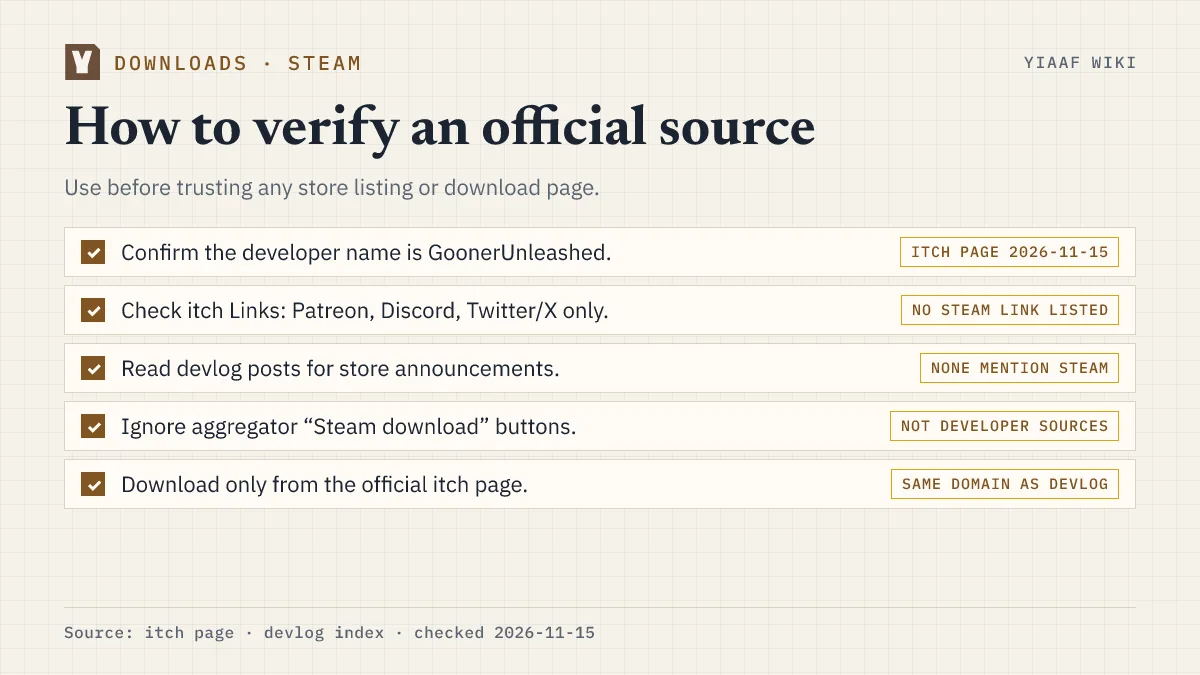
- Confirm the developer credit reads GoonerUnleashed.
- Open the itch Links row and note which platforms appear there today.
- Scan devlog titles for words like “Steam” or “storefront” (none found through 2026-11-15).
- Compare file versions to latest version notes before you run an executable.
Where is the game actually listed?
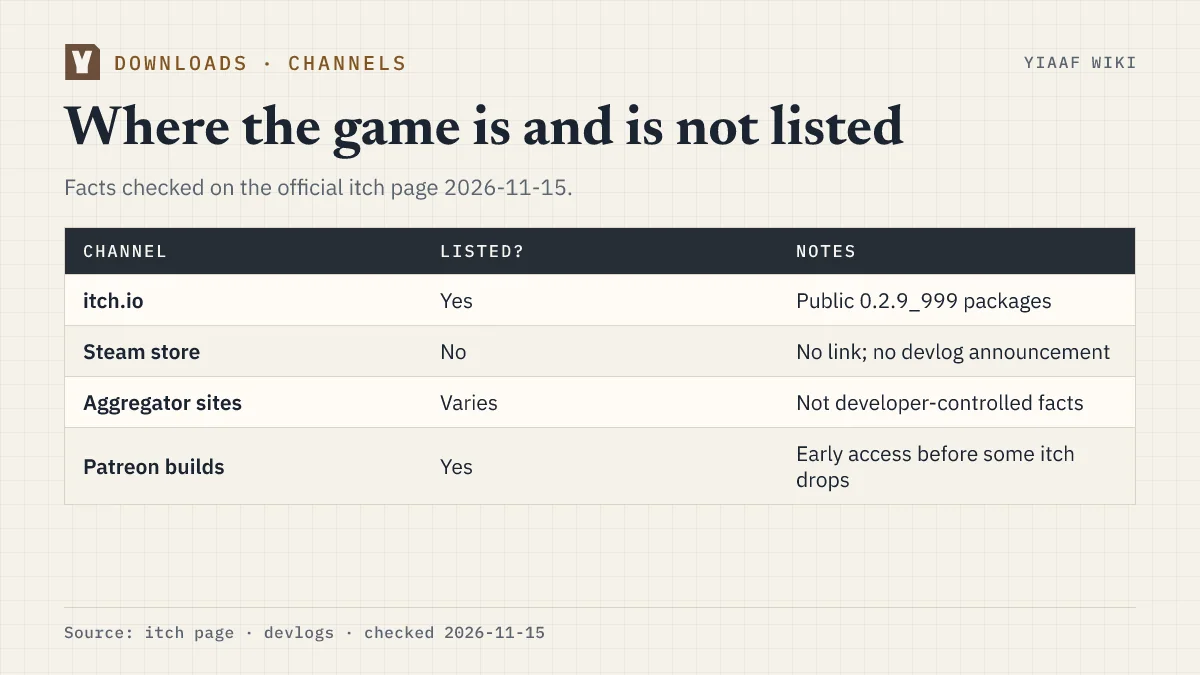
| Channel | Verified on 2026-11-15 |
|---|---|
| itch.io public download | Yes — build 0.2.9_999 |
| Patreon early access | Yes — patron builds precede some free drops |
| Steam store | No known official page |
| Random aggregators | Not developer sources |
What should I do if a site pushes a Steam download?
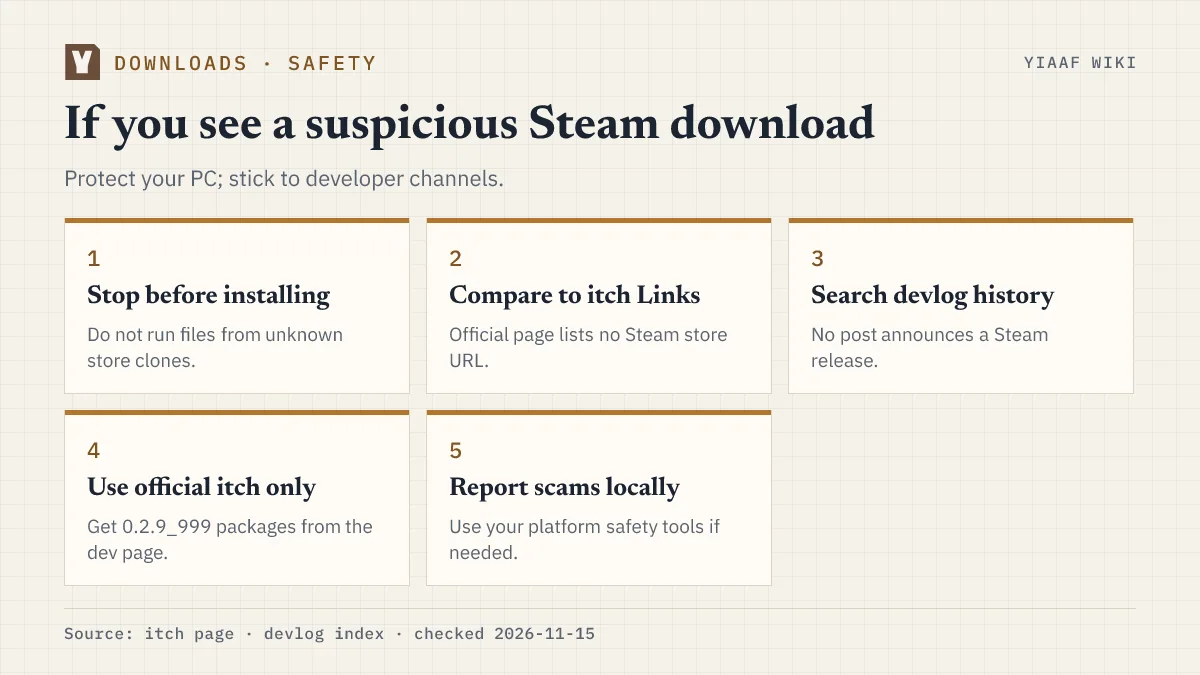
Stop before you install. Close the tab, open the developer itch page, and download 0.2.9_999 from the listed Android, Windows/Linux, or macOS archives. If you already grabbed a suspicious file, delete it without running it and fetch a fresh copy from itch.
For gameplay help after a clean install, start with the beginner guide or browse all downloads articles.
What should I use instead of Steam?
Until an official announcement appears on itch or in a devlog, treat itch as the verified PC and mobile channel. The page hosts nineteen devlog posts back to 0.1.2, which makes it easier to confirm whether an unknown “Steam edition” matches a real build number. Match your installer label to entries on version history before you trust release notes on a random directory site.
Sources and verification
- Official game page: https://goonerunleashed.itch.io/yes-i-am-a-furry
- Devlog index: https://goonerunleashed.itch.io/yes-i-am-a-furry/devlog
Last checked against the official devlog on 2026-11-15. This is a non-official fan guide; see about this wiki.
Related Articles
downloads
Yes I Am a Furry Download and Install (Official itch.io)
Download Yes I Am a Furry free from the official itch.io page: version 0.2.9_999 sizes for Android, Windows, Linux, and macOS plus install steps.
downloads
Yes I Am a Furry Save Files and Troubleshooting
Ren'Py in-game saves work, but the developer has not published save paths. Official fixes for Gallery, language UI, HTML5 limits, and known PC bugs.
Was this helpful?
Thanks for the feedback!